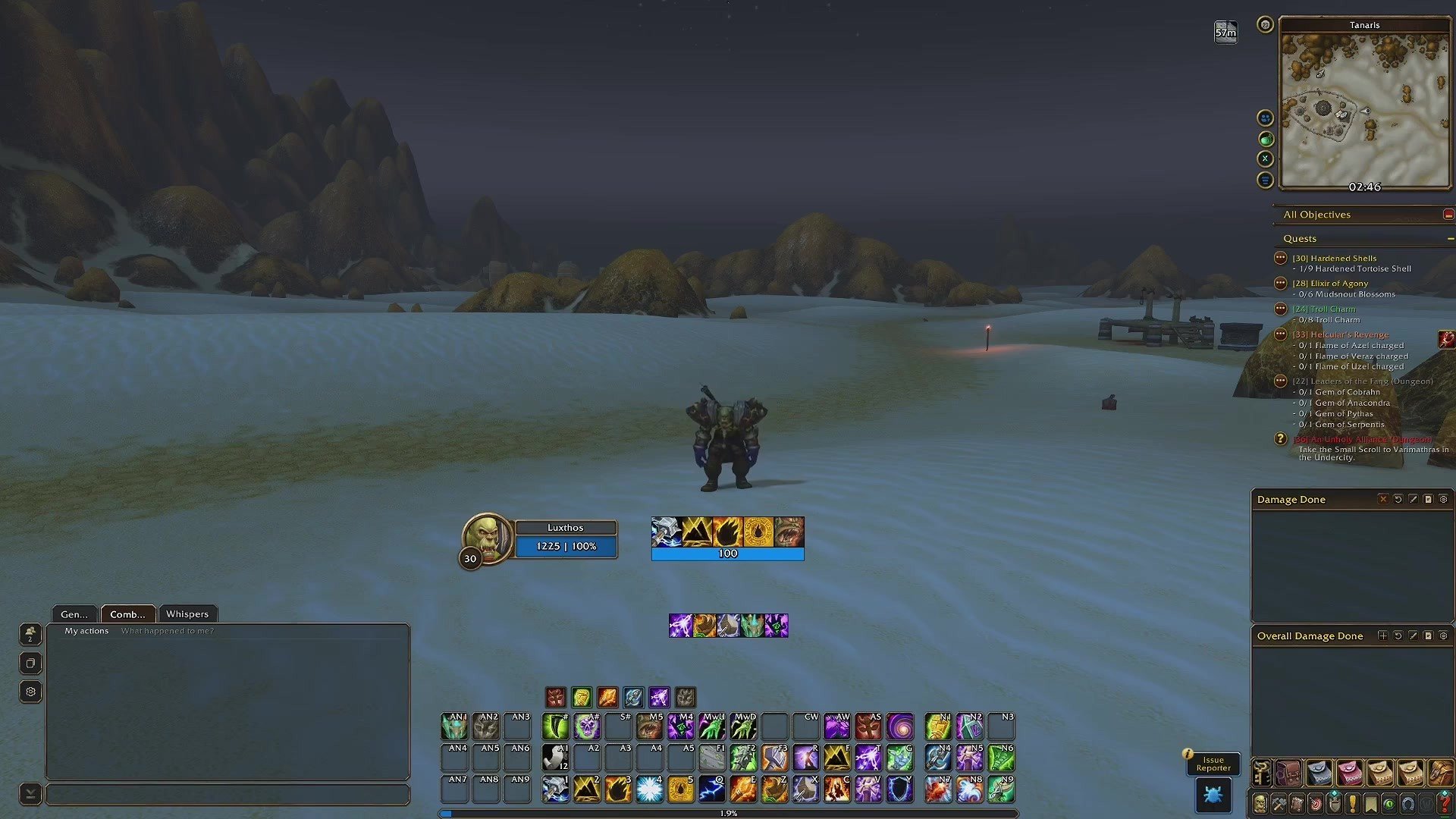

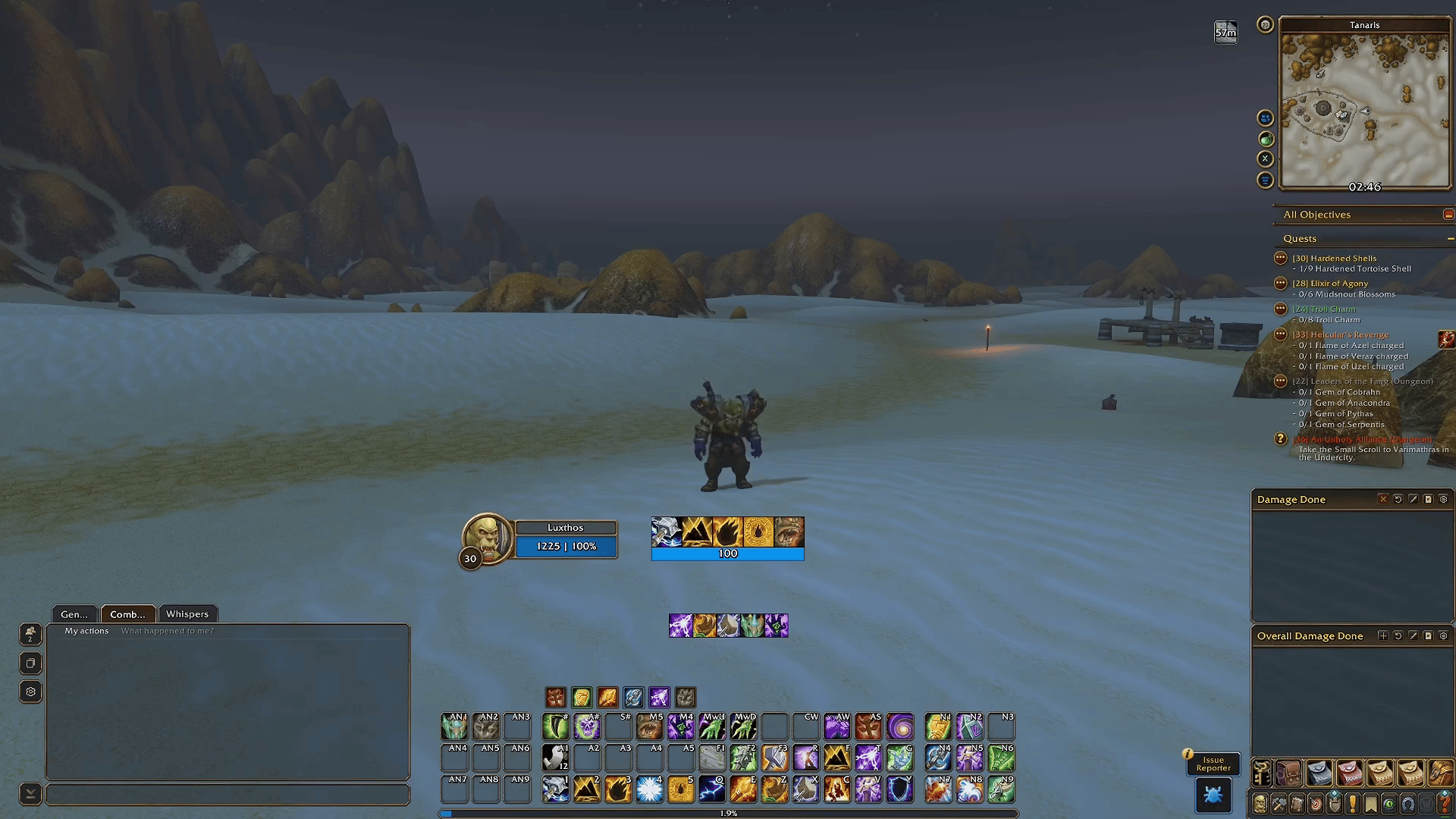
This is my full list of AddOns for World of Warcraft: Forever: every AddOn in the interface I play with, what each one does, and why it earned its place on my screen. If you're setting up Forever for the first time, or you simply want my exact setup, this is where to start.
A quick note before we begin: the list changes over time. I add and remove AddOns as Forever and the AddOns themselves evolve, and my interface page always has the current list, with a download link for each AddOn, my profiles and the install steps.
My WoW Forever AddOn list at a glance
- EllesmereUI: the interface AddOn. It styles almost everything you see, and it's the only one you need for my look.
- Cooldown Manager: the game's built-in cooldown tracker, styled by EllesmereUI, with my layout for every class.
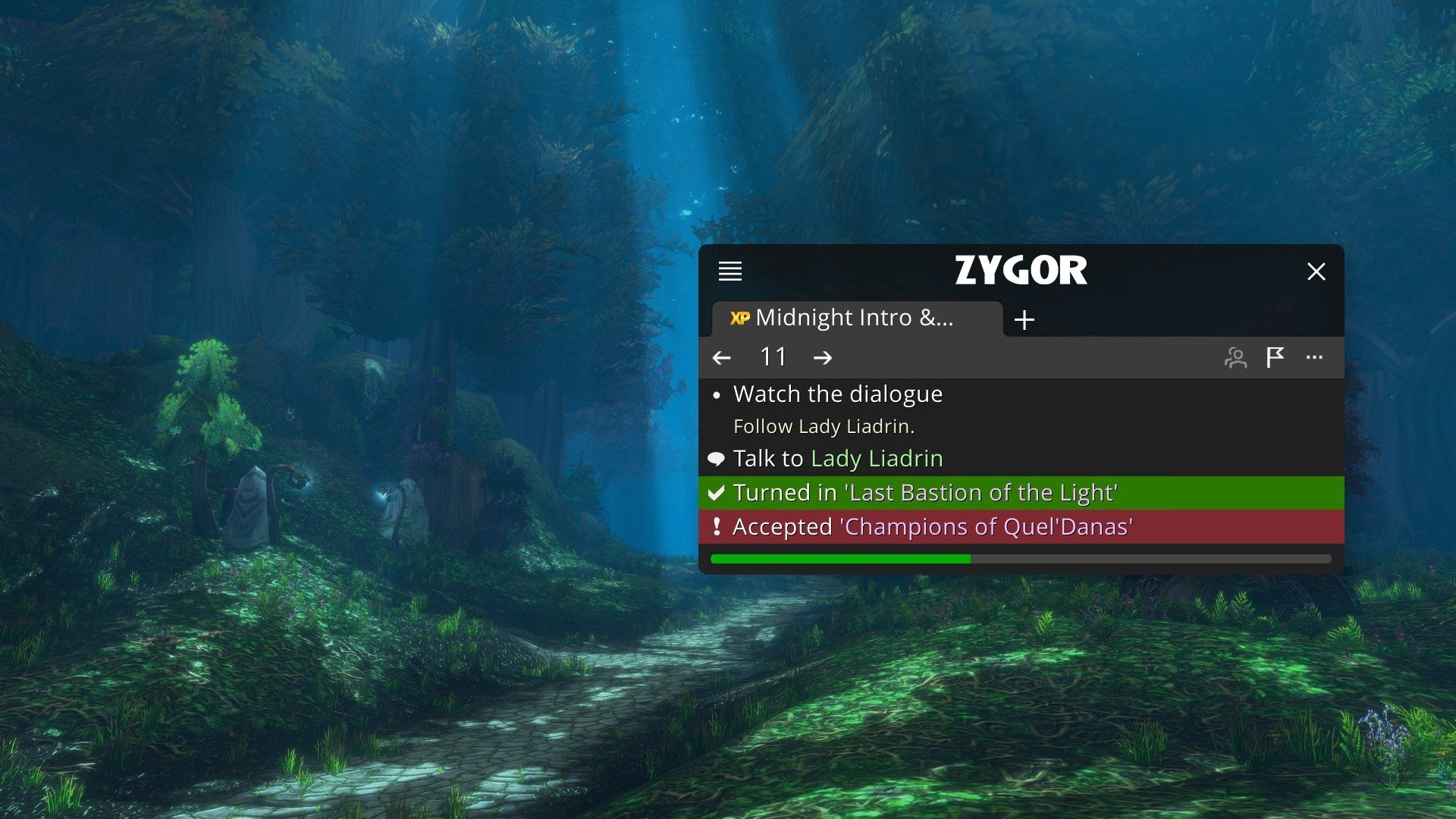
- Zygor Guides: in-game leveling guides with an arrow and step-by-step instructions.
- OpenMap: a seamless world map in the Vanilla style.
- Forever Quest Tint: highlights the new Forever quests.
- Forever Loot Sparkles: makes quest items, herbs and ore sparkle.
- What's Training?: shows what your trainer can teach you next.
- DungeonJournal: dungeon quests, locations and boss loot.
- Auctionator: an easier auction house, with item prices.
- BugSack and BugGrabber: catch Lua errors and collect them quietly.
How I chose my Forever AddOns
My goal for Forever was simple: I wanted the interface to feel like original World of Warcraft, with a few improvements. Forever uses the same AddOn structure as Retail, so WeakAuras isn't an option here either, and I took the opportunity to keep my AddOn list short. One interface AddOn with one profile does most of the work, and a handful of small quality-of-life AddOns cover the rest.
Everything on this list is optional except EllesmereUI, and even EllesmereUI is modular: if you only want part of it, you can turn the rest off. If one of the extras isn't for you, simply skip it.
Core interface AddOn: EllesmereUI
EllesmereUI is the heart of my Forever UI. It controls and styles almost the entire interface: action bars, unit frames, nameplates, the minimap, chat, the resource and cast bars, the Cooldown Manager and more. It's a big AddOn, but it runs well, and it's the only one you need to get the look you see in my videos.
It isn't my AddOn: it's someone else's work, and I make the profile so you don't have to. My profile uses EllesmereUI's WoW Forever style, which keeps Forever's bronze frames and round badges, so the game still looks like World of Warcraft, just a little cleaner. The exceptions are the Cooldown Manager and the resource bar, which I keep in a sharper style because I want them to be as precise as possible.
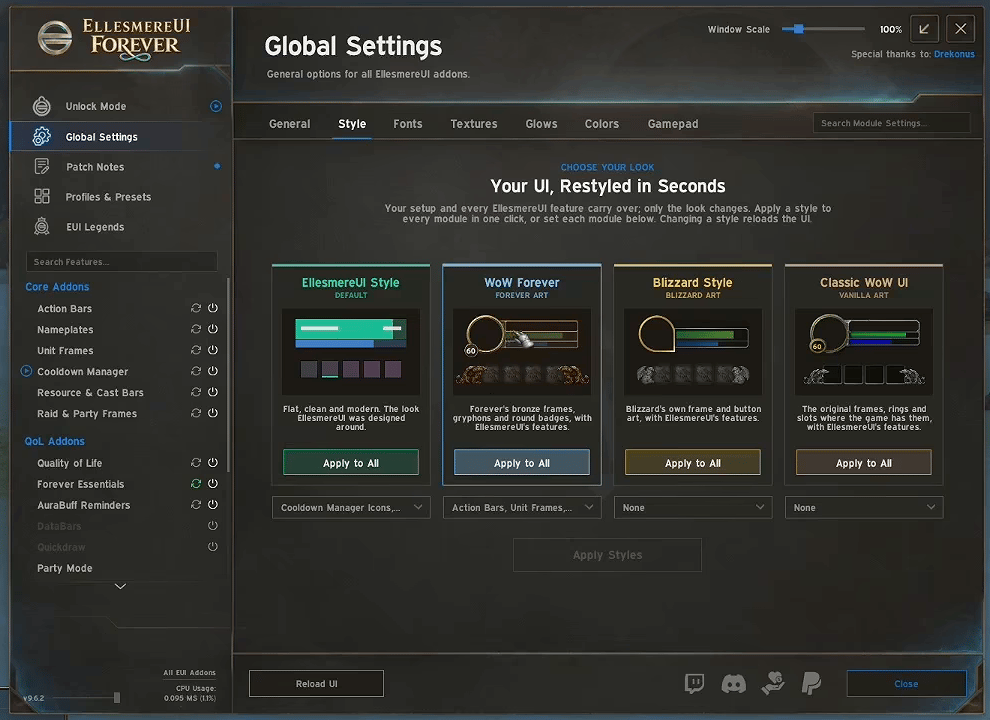
If you prefer another look, EllesmereUI can restyle the whole interface in one click. Type /eui, open Global Settings › Style, and choose between EllesmereUI Style (flat and modern), WoW Forever, Blizzard Style and Classic WoW UI.
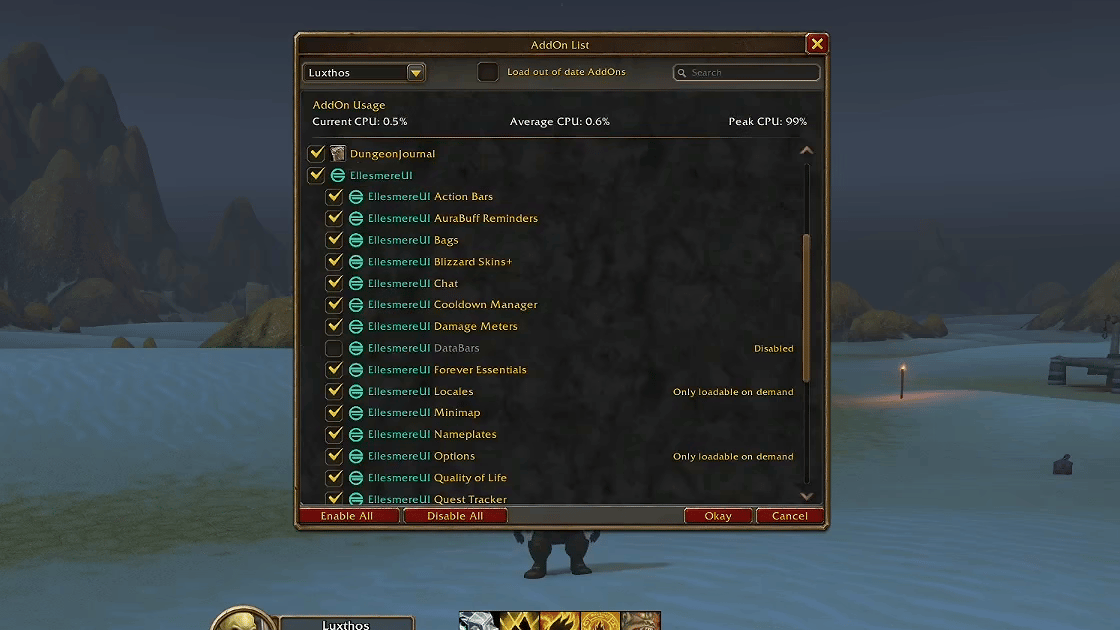
Every module can be turned off
One thing I really like about EllesmereUI is that it's modular: each part is a small AddOn of its own in your AddOn list. Let's say you're used to my old WeakAuras packs and only want the Cooldown Manager, the resource bars and the cast bar: disable every other module and you get a very clean Forever interface with just that.
Personally, I like having the extras, because they add customization the game doesn't offer. For example, I removed the power bar from my unit frame: my resource bar already shows it, and I don't want the same information twice.
The Edit Mode layout
EllesmereUI doesn't move every element on the screen, so my setup also includes an Edit Mode layout. It places everything else, such as the objective tracker, the damage meter, the bags and the micro menu. You need both for the full result. My profile and layout adapt to any resolution; at 1080p, you may want to adjust the UI Scale to taste.
Combat and cooldowns: the Cooldown Manager
For combat, I don't use a separate cooldown AddOn. Forever has the game's built-in Cooldown Manager, and EllesmereUI styles it so my cooldowns sit in the middle of the screen, close to my character, in a look very close to my old WeakAuras.
I share a layout for every class on my Cooldown Manager page. It's optional: copy your class's layout, import it with /cdm, then type /eui, open the Cooldown Manager section and click Repopulate.
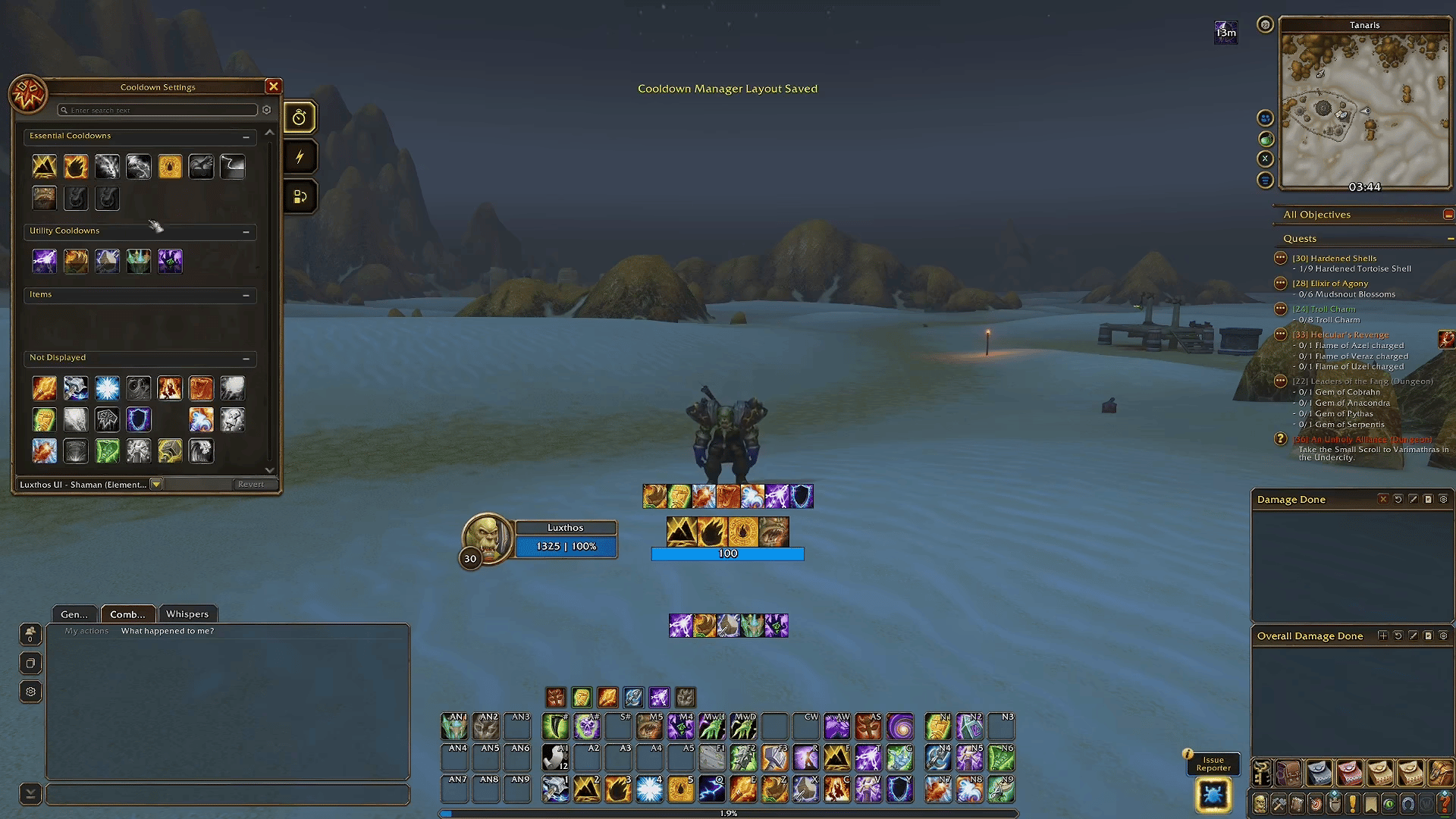
One thing to keep in mind: Forever is a Classic-style game, so you don't pick a specialization the way you do in Retail. A Shaman who leans heavily into Enhancement is still a Shaman, and hybrid builds are possible, so you may want to adjust your layout over time.
Leveling AddOn: Zygor Guides
Zygor is my leveling AddOn, and it has been one of my favorite AddOns for more than 15 years. It shows you where to go and what to do, with an arrow and step-by-step instructions right in the game. For me, it isn't about speed: it's about reducing the mental load. I plan to level almost every class in Forever, and following the arrow lets me enjoy playing my class instead of searching for the next quest giver.
It also goes far beyond leveling, with guides for dungeons, professions, achievements and more; in Forever, those arrive over time. I explain all of it in detail in my article on Zygor. Code LUXTHOS gives you 20% off any Zygor plan.
Get 20% off Zygor Guides (opens in a new tab)
Quality-of-life AddOns for questing and exploring
These small AddOns each do one thing. None of them is required, but together they make leveling in Forever smoother.
OpenMap
OpenMap gives you a seamless world map in the Vanilla style. It suits the classic feel I wanted for this interface.
Forever Quest Tint
Forever Quest Tint highlights the new Forever quests, so you can tell at a glance which quests are new to this version of the game.
Forever Loot Sparkles
Forever Loot Sparkles makes quest items, herbs and ore sparkle, so they're much easier to spot while you're questing or gathering.
What's Training?
What's Training? shows what your trainer can teach you next, so you know when a trip to the trainer is worth it.
DungeonJournal
DungeonJournal shows dungeon quests, dungeon locations and the loot each boss drops. I've been using it since the beta and it has been great; it's one of the few quality-of-life AddOns I wanted in my setup from the start.
Gold and troubleshooting AddOns
Auctionator
Auctionator makes the auction house easier to use and shows item prices, whether you're buying materials for a profession or selling what you gathered.
BugSack and BugGrabber
These two work together, so install both: BugGrabber catches Lua errors, and BugSack collects them quietly instead of interrupting your game. If something stops working, the errors are there for you to check, or to send to the AddOn's author.
How to install every AddOn in one click
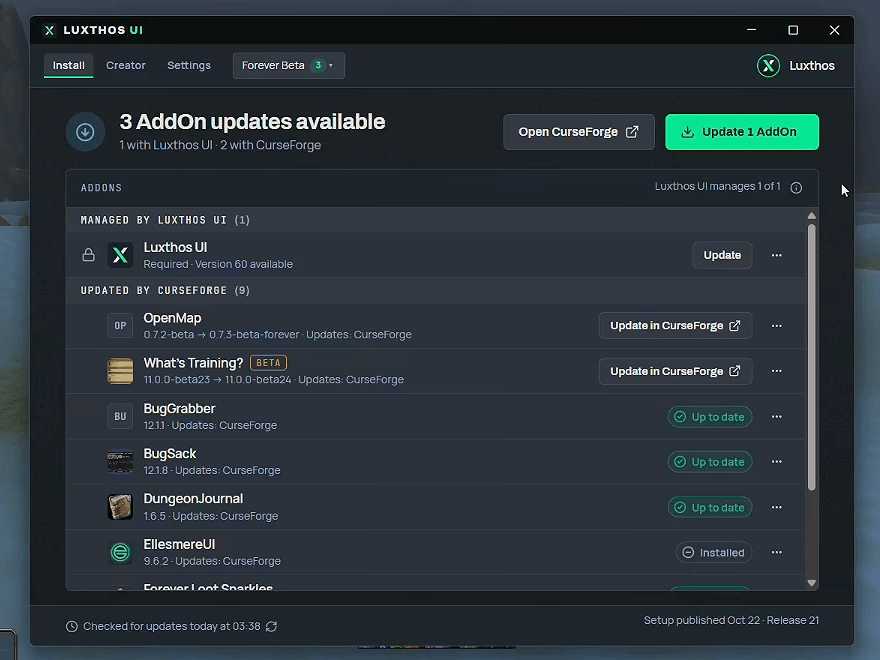
Everything above is free. You can install each AddOn by hand from my interface page, which has the download links, my profiles and the install steps. I manage my own AddOns with the CurseForge app, and if you don't use an AddOn manager yet, I recommend trying one.
If you'd rather skip the manual steps, the Luxthos UI app installs my whole UI in one click: the AddOns, my profiles, the Edit Mode layout and my Cooldown Manager layouts. When I update my setup, the app tells you, backs up your current setup first, and updates yours. It runs on Windows, and it's included with a Twitch sub (any tier, including Prime), a Patreon membership or a Luxthos membership. It's a thank-you for supporting the channel, not a paywall: nothing on the site is locked behind it.
Common questions
Do I need every AddOn on this list? No. EllesmereUI is the only one you need for my look. Everything else is optional: pick the ones that solve a problem you actually have.
Can I keep my other AddOns? Yes, but turn off any AddOn that changes the same frames as EllesmereUI (unit frames, action bars, nameplates), so they don't conflict.
Will it work at 1080p or on an ultrawide monitor? My profile and Edit Mode layout adapt to any resolution. At 1080p, you may want to adjust the UI Scale to taste.
Is it all free? Yes. Every AddOn, profile and layout on my site is free, and it will stay that way. The Luxthos UI app only saves you the manual steps.
That's my full Forever setup. I kept it simple and clean, with the spirit of the original game, and I'm sharing all of it with you. If you have questions about an AddOn or the install, ask me in Discord (opens in a new tab) or drop by the stream on Twitch. See you in Azeroth.
Disclosure: I'm an official Zygor Guides affiliate. If you sign up through my link, I earn a commission at no extra cost to you.