
Luxthos UI · Desktop app
My whole interface, installed in one click.
Every AddOn, profile, Edit Mode layout and Cooldown Manager string I use, for Retail and Forever. Installed for you, and kept up to date.
Windows 10 or later · Version 0.1.51
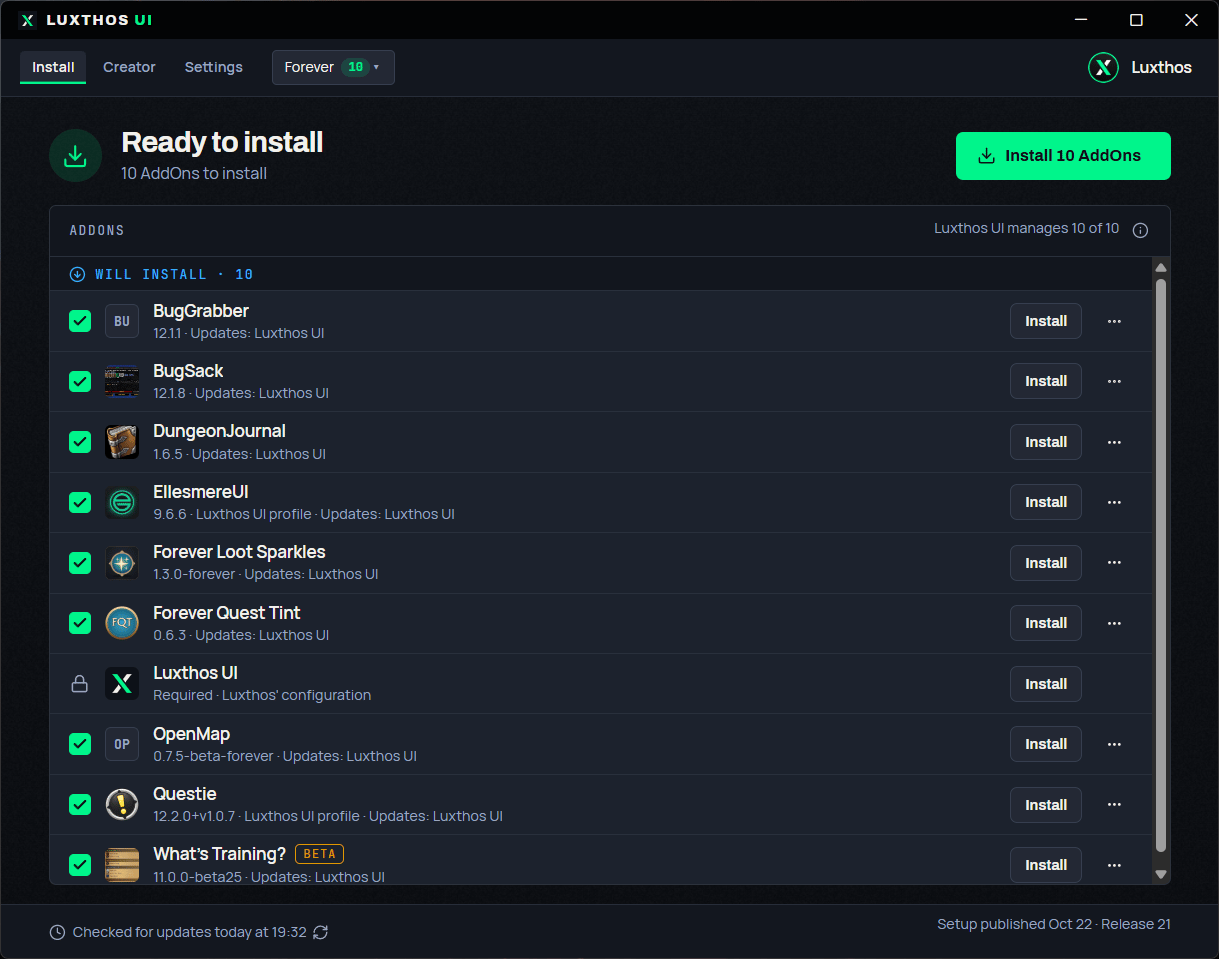
Everything my UI needs, in one place
The same setup you see on stream, without copying a single string.
AddOns
Every AddOn I play with, downloaded from its official source.
Profiles & Edit Mode
My profiles and Edit Mode layout, applied on your first login.
Cooldown Manager
My Cooldown Manager layouts for every class and spec.
Always up to date
One click when I update my setup, with a backup of yours first.
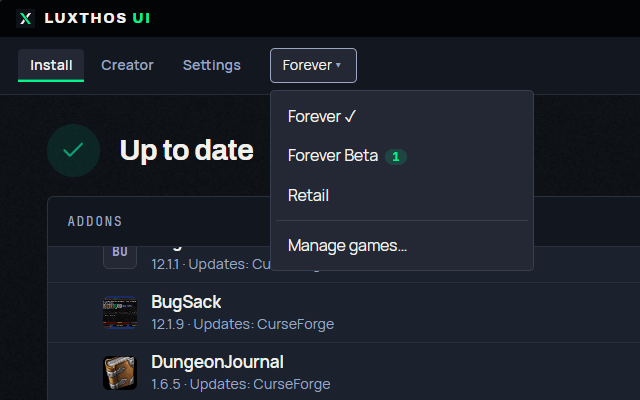
Retail & Forever
Pick your game, that's it
The app finds your World of Warcraft folders and your screen resolution, then sets up the right version of my UI for each game.
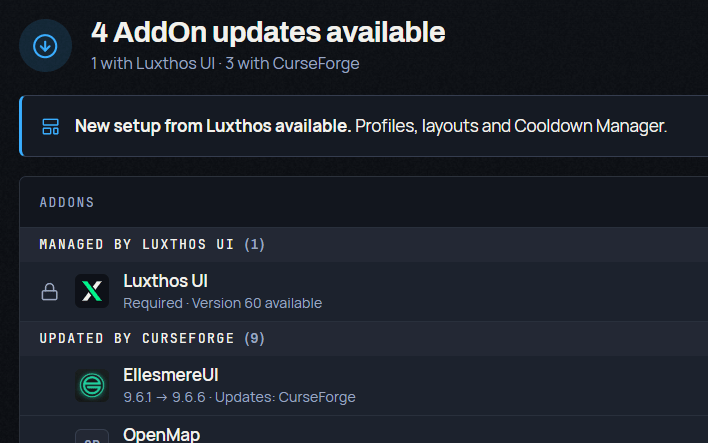
Updates
When I change my UI, yours follows
The app tells you when there's an update. Your current setup is backed up first, and you can restore it or repair an install in one click.
The AddOns it installs
Straight from my setup. When I add or remove one, the app does too.
- EllesmereUIInterface AddOn · with my profile (opens in a new tab)
- QuestieQuests and objectives on your map · with my profile (opens in a new tab)
- BugGrabberCatches errors for BugSack. (opens in a new tab)
- BugSackCollects Lua errors quietly. (opens in a new tab)
- DungeonJournalDungeon quests, locations and boss loot. (opens in a new tab)
- Forever Loot SparklesMakes quest items, herbs and ore sparkle. (opens in a new tab)
- Forever Quest TintHighlights new Forever quests. (opens in a new tab)
- OpenMapA seamless world map in the Vanilla style. (opens in a new tab)
- What's Training?What your trainer can teach you next. (opens in a new tab)
- EllesmereUIwith my profile (opens in a new tab)
- BaganatorBags sorted into categories. (opens in a new tab)
- BugGrabberCatches errors for BugSack. (opens in a new tab)
- BugSackCollects Lua errors quietly. (opens in a new tab)
- PlumberQuality-of-life extras, like the expansion summary. (opens in a new tab)
- Premade Groups Filter (opens in a new tab)
- Simulationcraft (opens in a new tab)
- Teleport Menu (opens in a new tab)
The list comes live from my catalog. Prefer to install by hand? Everything is free on the Interface pages.
Up and running in three steps
Download and install
Run LuxthosUI-Setup.exe and follow the installer.
Sign in with Twitch
Use the account you support with. The app checks your access.
Install and play
Click Install, log in to WoW, and my UI is set up for you.
Available for supporters
A thank-you for supporting the channel
The app is included with a Twitch sub (any tier, including Prime), a Patreon membership or a Luxthos membership on luxthos.io. Sign in on luxthos.io to see your options.
- Twitch subAny tier, including Prime
- PatreonPatreon membership
- Luxthos membershipDirectly on luxthos.io